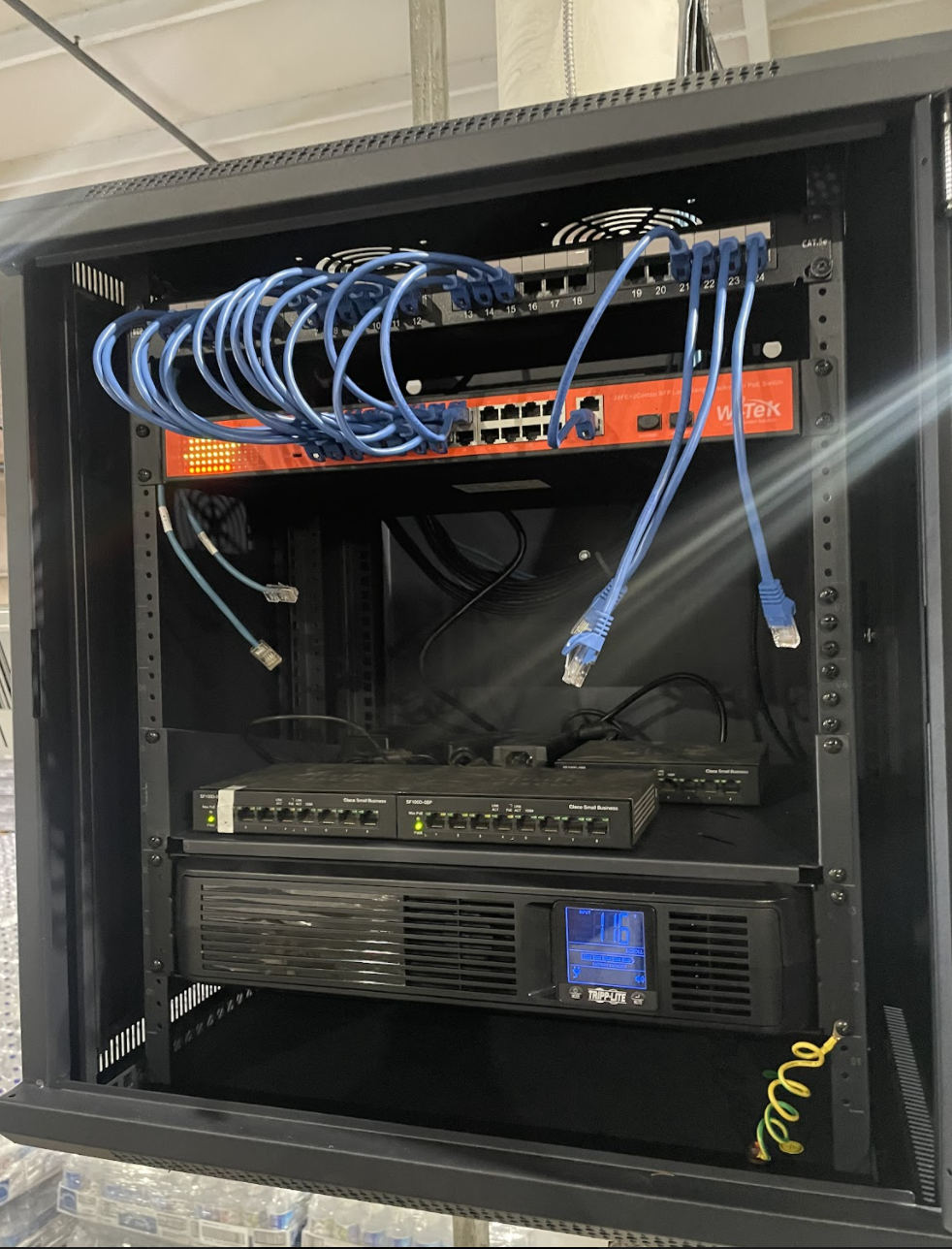
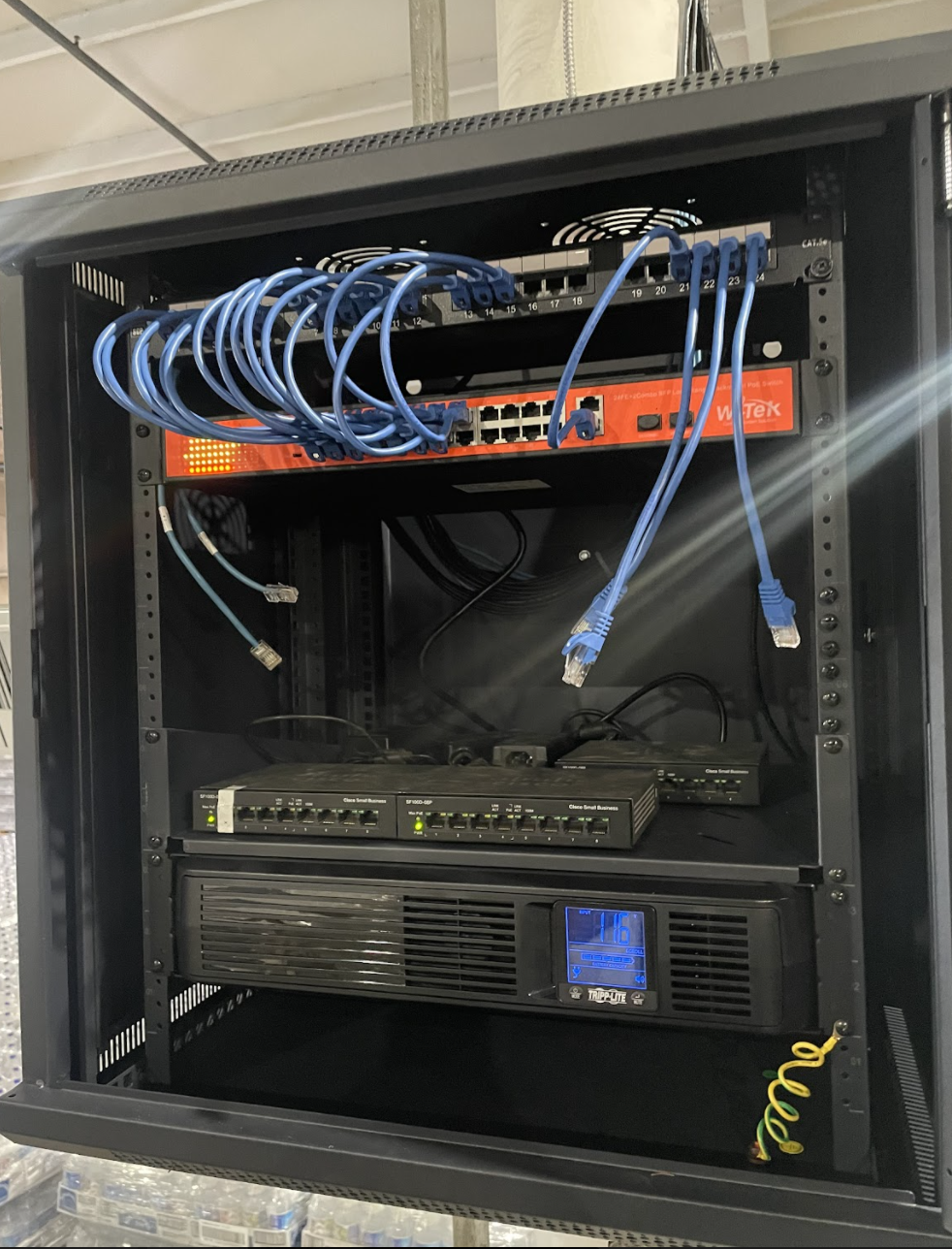
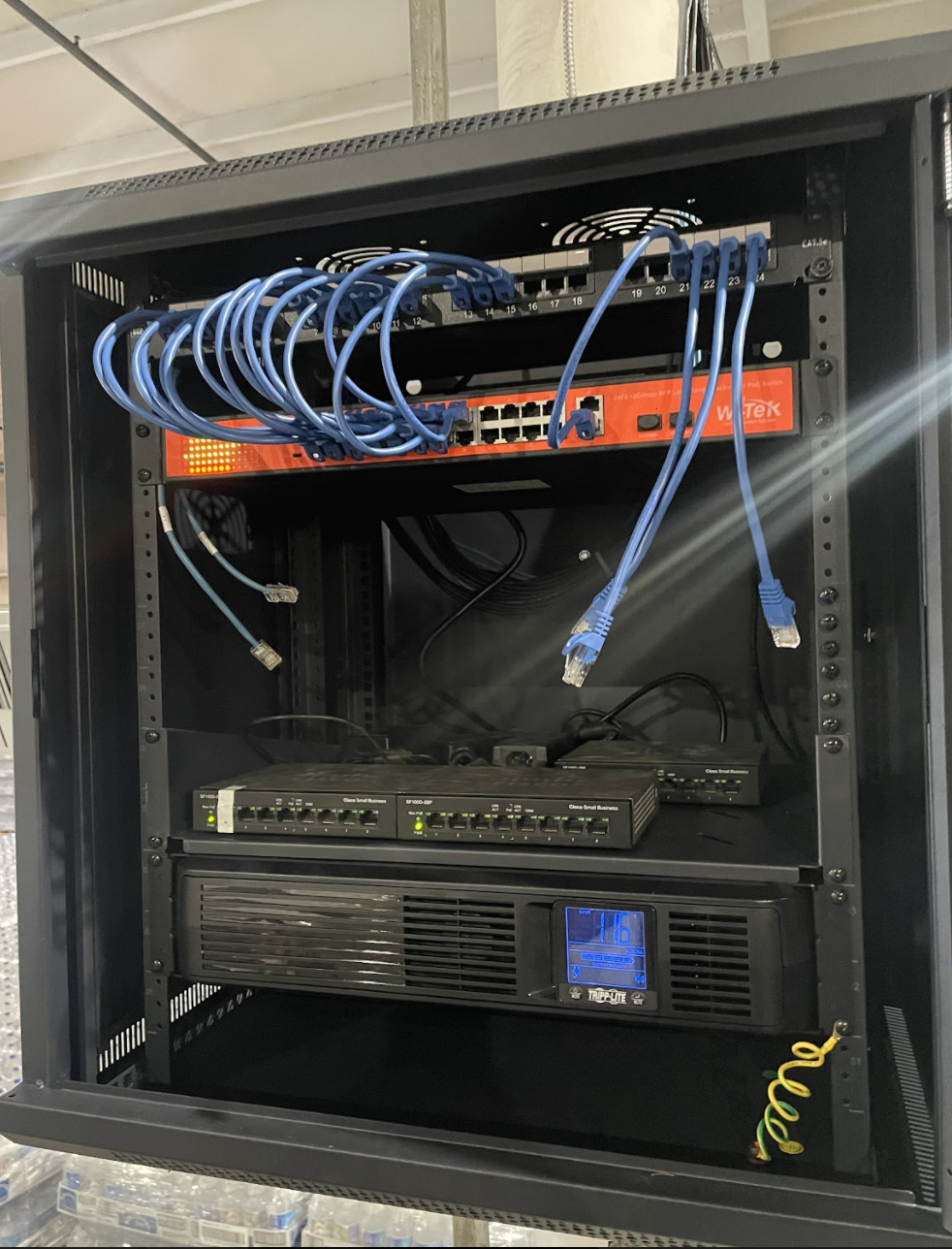
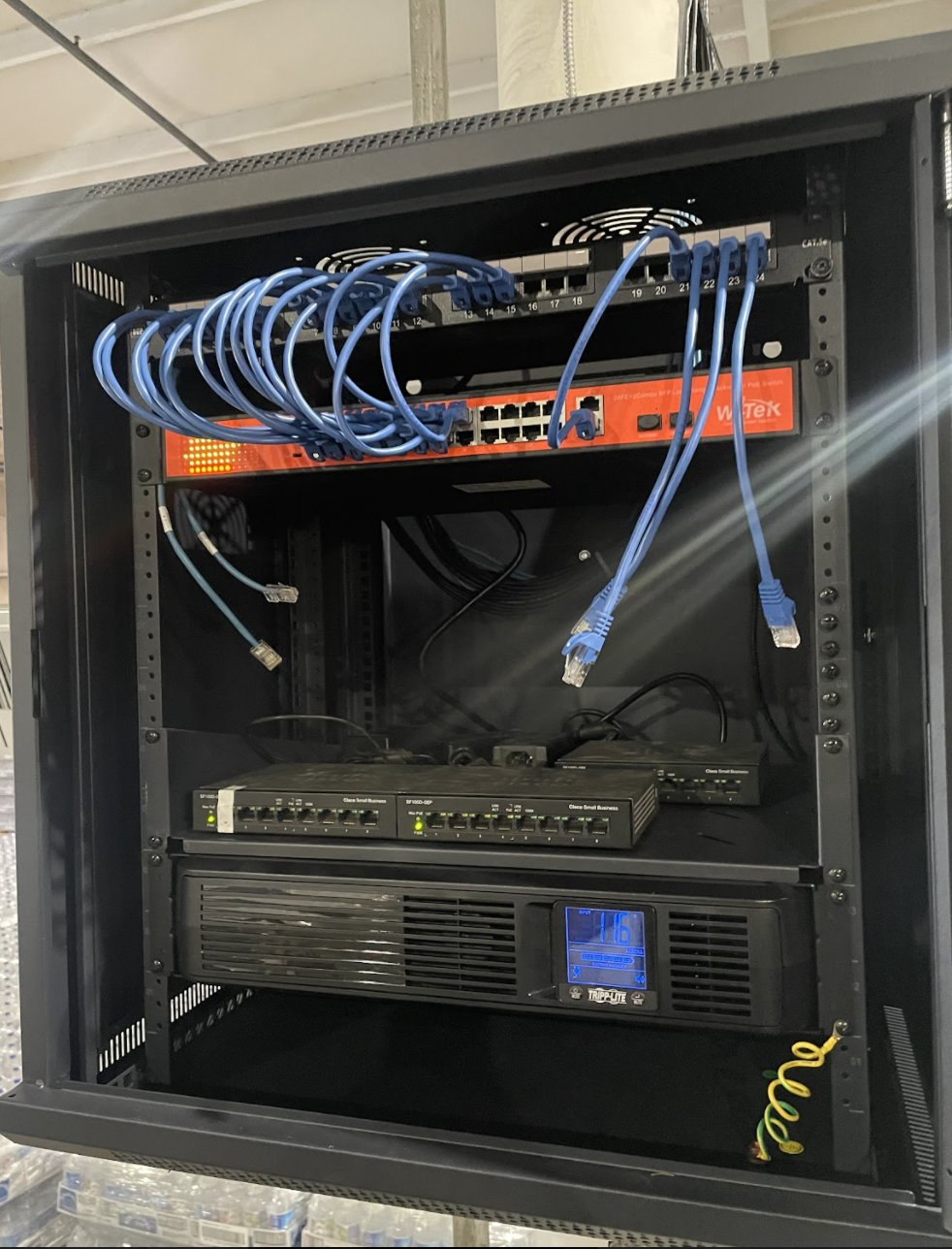
Un cliente nos muesta su instalación y puesta a punto de un sistema de AP marca Aruba, con nuestros Switches Witek WI-PS526G, este alimentado vía PoE los equipos así como la red de datos de la planta.
Algunos de estos equipos están instalados a más de 200 metrps.
Bodega de distribución de refrescos Jarritos Calexico California U.S.A
A client has shared this application with us, installing an Aruba brand AP system with our Witek WI-PS526G Switches powered via PoE to the equipment and the building’s data network. Some of these switches were installed 200 meters apart.
Jarritos Soda Distribution Warehouse Calexico California U.S.A
Can I install security cameras for my clients if they have E/GPON technology?
Can I add other types of services or devices such as residential alarms that use cloud technology? (i.e. HIK-CONNECT and HIK-PROCONNECT)
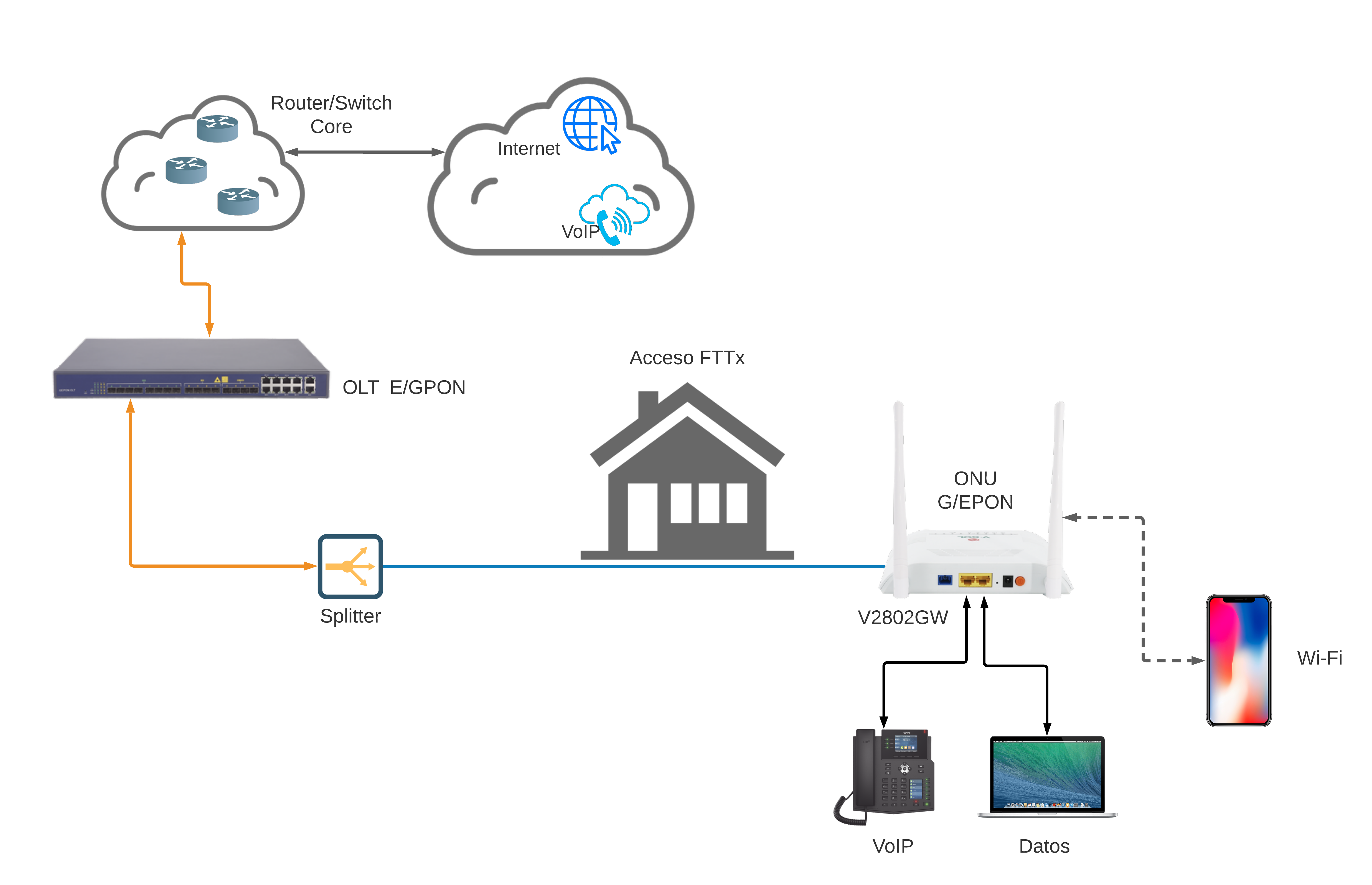
This is a common diagram of a FTTx network
The answer to both questions is YES, it is fully compatible and there should not be one problem with it.
Both end users and service admins will enjoy the experience, EPON, GPON, etc networks are transparent, so we can recommend all the solutions we previously mentioned.
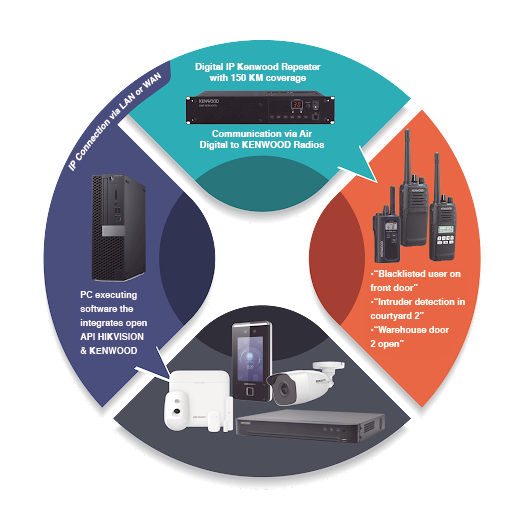
We share this example where we integrate AXPRO Panels, Access, and Video with a KENWOOD Radio system:
The program will send notifications for Radios: “Blacklisted User in Front Door”, “Intruder Detected in Courtyard 2”, “Forced Entry in Warehouse Door 2”, “Unidentified User in Front Door”.
One of the advantages of using KENWOOD and HIKVISION is the protocol and Open API, this allows a powerful integration for security applications.
Integrate KENWOOD Repeater and KENWOOD Radios with HIKVISION Systems.
All the integration is full IP, using the API of HIKVISION with KENWOOD.
The HIKVISION API allows you to integrate AXPRO intrusion panels (Sensors up to 2 KM), Access Control, Video Door Phones, and Video Surveillance TurbHD/IP.
Hikvision is a leader in a license plate reader and A.I. (Facial Recognition, Attribute Identifier) technology, and all of this can be integrated to build a tailored solution.
Things are gonna get worse before they get better.
We work with 250+ manufacturers in different countries, this allows us to witness this issue very closely and anticipate its impact.
Before the pandemic slowed down shipping, the industry was already at its limit, with delivery times of 18 to 36 weeks:
Before the pandemic slowed down shipping, the industry was already at its limit, with delivery times ranging between 18 to 36 weeks. No manufacturer has inventory, they all work with just-in-time systems, where they only start ordering components once a company places an order.
The pandemic caused a significant increase in the demand for specialized components, such as the microchips for tablets and laptops, which shifted the manufacturers’ focus on such product lines that usually generate much higher profits. Unfortunately, the pandemic also caused crucial cities like Wuhan to close, which is home to many key manufacturers of electronic and mechanical components. Many factories and ports were affected as they had to reduce production capacity. We have seen some cases where a manufacturer’s production time that used to be only a few weeks increased to 9-10 months.
OK… I understand the component shortage. But why are prices increasing?
The prices of many high-demand components have increased by up to 1000%, which has led to a product price increase by around 5% and even 45% in some cases.
We have not even mentioned yet the shipping price surges from Asia to North America… Currently, the cost of a container from Asia has exceeded 25,000 USD (it used to be less than 3,000 USD in 2019). That means that a container with a value of $40,000 USD of equipment costs around $25,000 USD in freight without even including the ∼25% tariffs.
Additionally, because of the closing ports and lack of human labor due to closing cities, there’s a shortage of available containers in the whole world, which makes reserving a container take up to 2 months. So, adding the time to get a container, to the high production times due to shortage of components, and the time to ship the products across the world to North America, the total time to get a product from Asia to North America can take up to a year (sometimes even more).
No one has talked about copper…
The vast majority of the copper we use is recycled, but the extreme increase in demand meant that this is not enough and the current copper extraction capacity can simply not cover the demand.
All electronic equipment and cabling are made of copper, which has become 70% more expensive in recent months, in addition to its scarcity.
We started the article by saying that “This is going to get worse before it gets better”. But, when will it actually get better?
Equipment shortages and shipping delays are expected to continue through 2022. For the past few months, we have been monitoring the shipping costs and container availability with different manufacturers and shipping and freight companies. We are working closely with them to get the best prices possible so that we can pass on the savings to you.
To be able to use arming and disarming via code it is necessary to have a keypad (DS-PKA-WLM). Within the panel configuration, the password will be assigned to the user. Go to: User Management – User – Add
To create the user it is necessary to fill in the requested information. The password to access the panel and the keypad must be different, the keypad password can only be numerical.
It is also necessary to assign a partition to which this user will correspond or have access with these credentials, as well as the user’s permissions.
The panel supports a silent alarm code, this is generated by default when creating a keypad password for a user. This threat code will be + 1 or – 1 of the original password, example: if the password is 123456 the silent alarm code will be valid as 123455 or 123457. This password will allow disarm the alarm system while at the same time it will send a notification to the application to be able to take corresponding actions.
After hearing the first audio message press the reset button
Keep the button pressed for about 10 seconds until the audio system stops
The panel will reset and with this, we finish the reboot
PIR Sensor
Remove the front cover and remove the battery. Press the “LEARN” button and connect the battery again while still pressing the button.
Wait about 10 or 15 seconds and release the button.
Magnetic contact
Remove the front cover and remove the battery. Press the tamper button and place the connect the battery again do not release the button.
Remote control
Open the control and remove the battery. Press the lock button (armed) and place the button again while still pressing the button.
The control will blink 3 times with a red light indicating that it resets correctly.
Indoor siren
Remove the front cover then remove the batteries from the device, press the “LEARN” button (indicated by the image), while still pressing the button place the batteries again.
Wait till the light blinks 3 times with a red light indicating that it resets correctly.
Outdoor siren
Remove the front cover and remove the device’s batteries, press the “LEARN” button (indicated by the image), while still pressing the button place the batteries again.
Wait till the light blinks 3 times with a red light indicating that it resets correctly.
Water detector and temperature detector
Remove the front cover and remove the battery, press the “LEARN” button (indicated in the image), while still pressing the button place the batteries again.
Wait till the light blinks 3 times with a red light indicating that it resets correctly.
Smoke Detector
Remove the front cover and remove the battery from the device, press the “test” button (indicated in the image), while still pressing the button place the battery again.
Wait till the light blinks 3 times with a red light indicating that it resets correctly.